Analytics / Empower Data Analysis

Empower Data Integrity Review, Without the Manual Effort

Every major Empower data integrity check in one place—so QC and QA review exceptions in minutes instead of reading audit trails for days.

Empower Data Analysis screenshot

The problem

Reviewing Empower audit trails, injections and results by hand takes days per review cycle. Trial injections, reprocessed chromatograms, manual integration and sample sets altered after a run are easy to miss—until an inspector finds them.

The solution

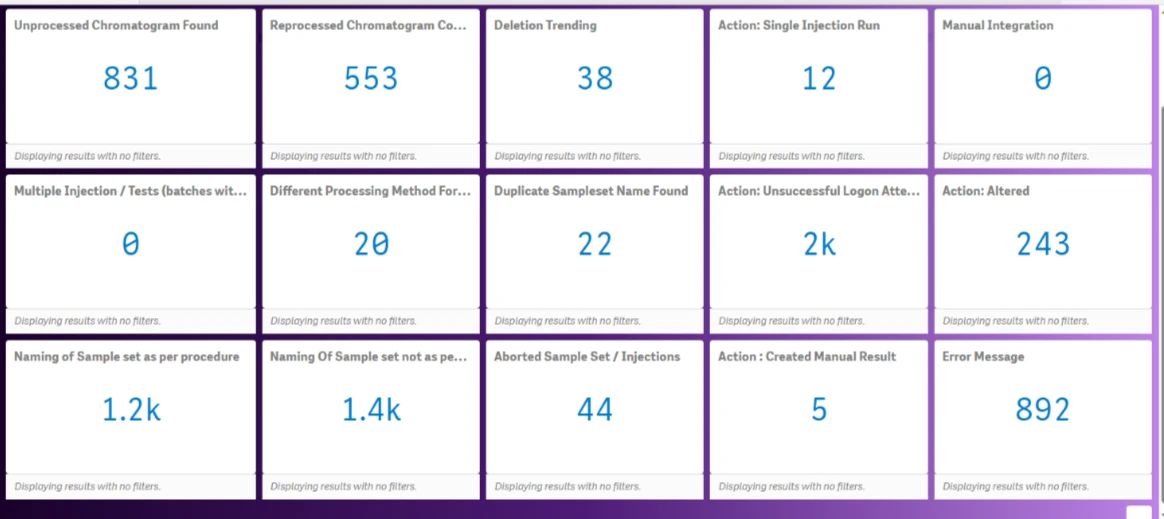
Empower Data Analysis extracts the complete Empower data set into dated snapshots and runs the same review logic across every project and system. A single overview of 15 KPIs shows where to look, and each KPI opens the detail behind it.

What it analyses

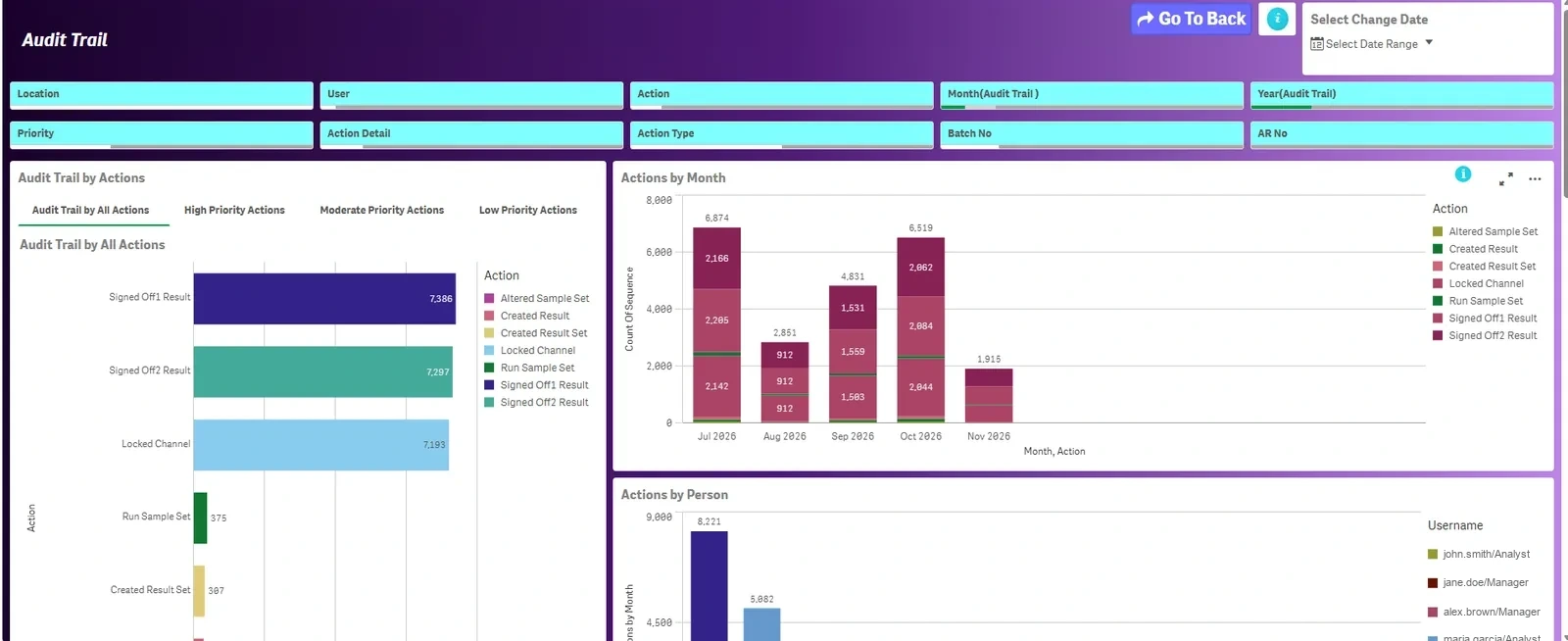
Audit Trail

Actions by priority, month, product and test; sample sets modified before or after the run; deletion trends; unsuccessful login attempts.

Injections & Sample Sets

Orphan injections, aborted injections and sequences, and the same batch or AR No tested more than once.

Chromatograms & Results

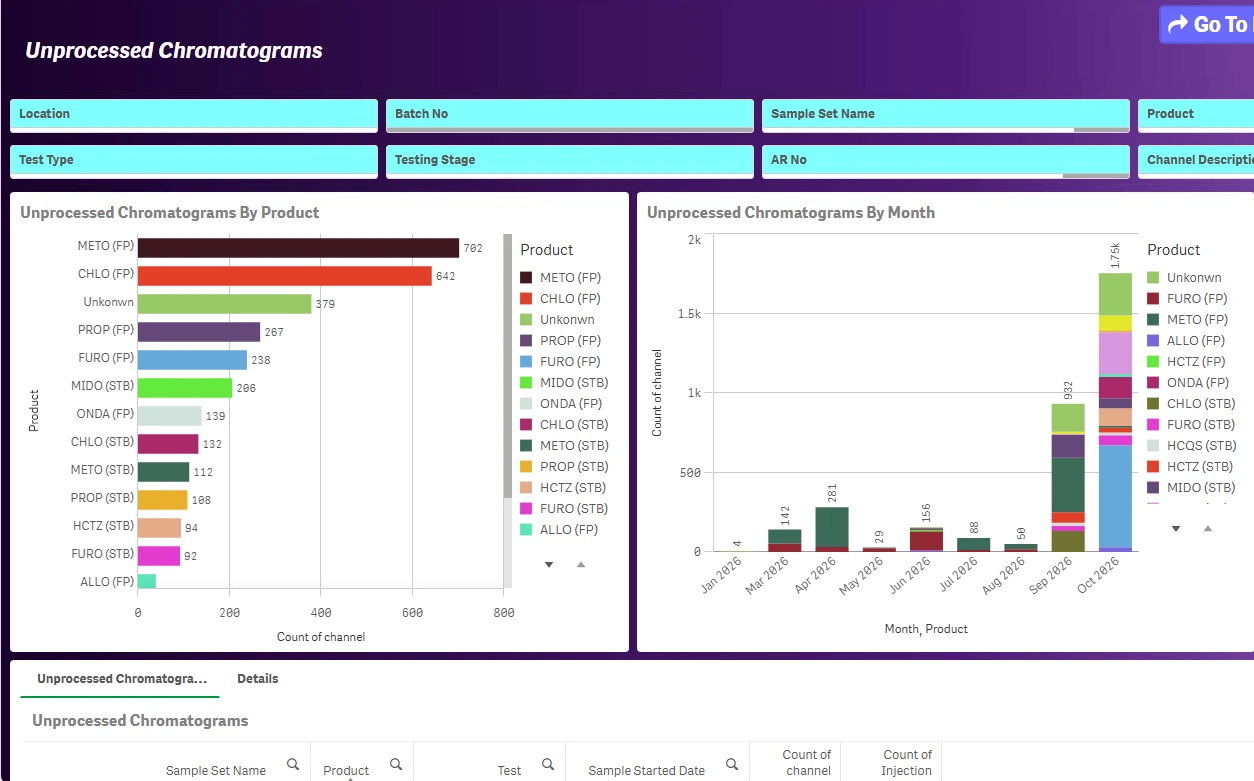
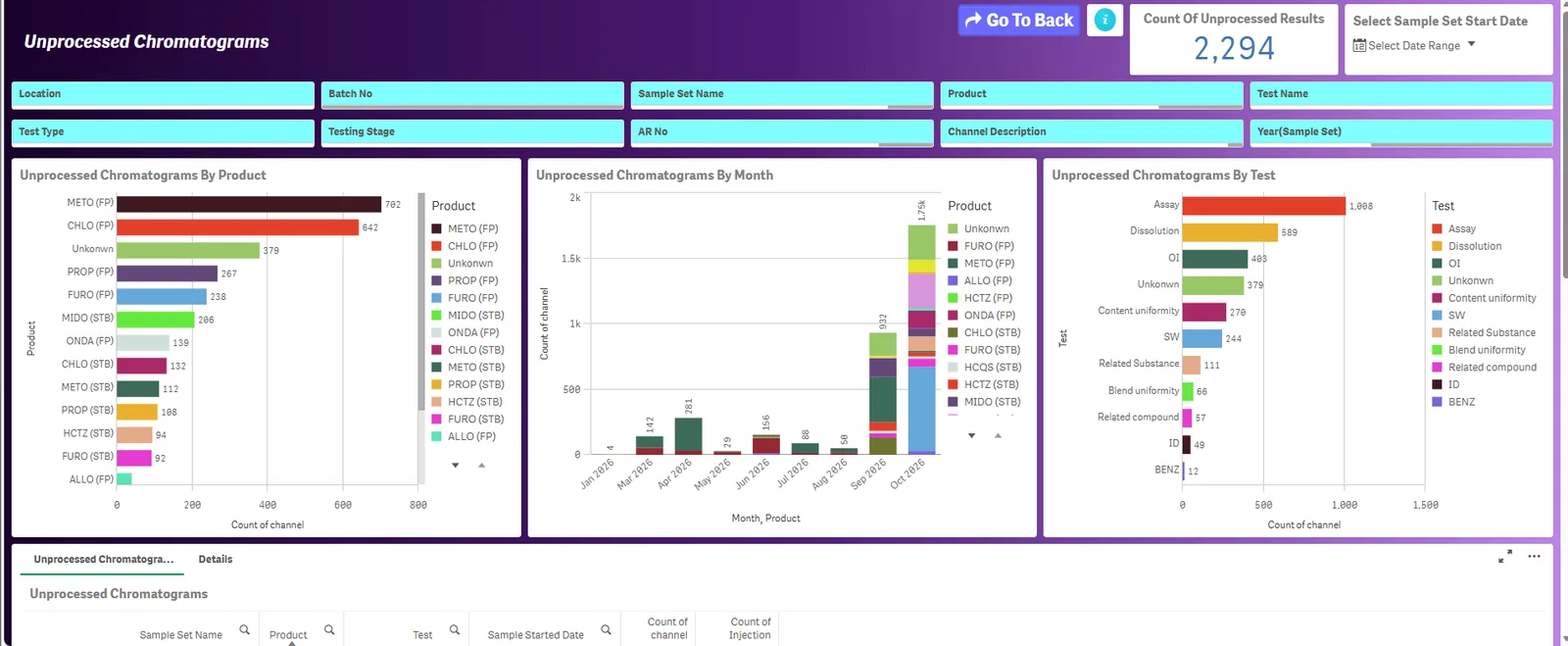
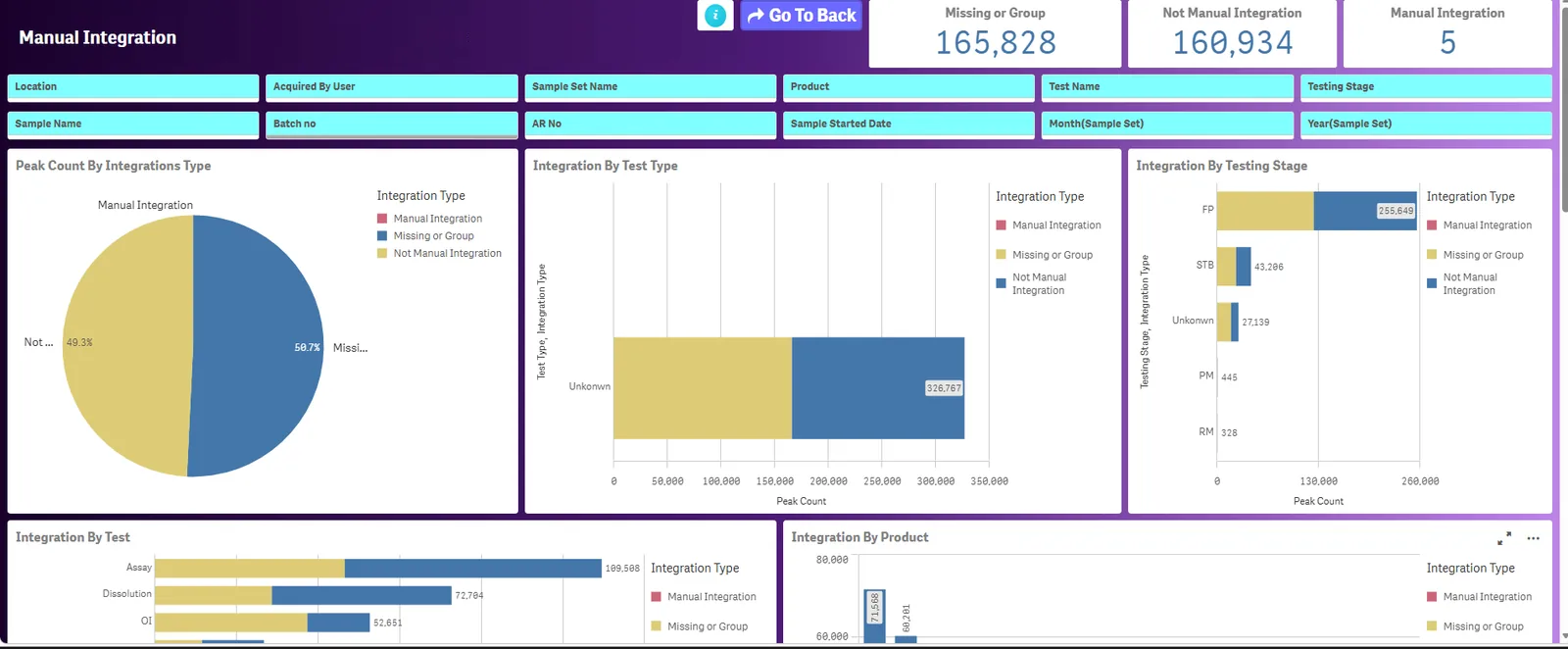
Unprocessed and reprocessed chromatograms, manual integration by peak, and different processing methods for the same sample set.

SOP Compliance

Sample set naming against SOP, batch and AR No anomalies, and duplicate sample sets—including reruns saved as _1 or _Rep1.

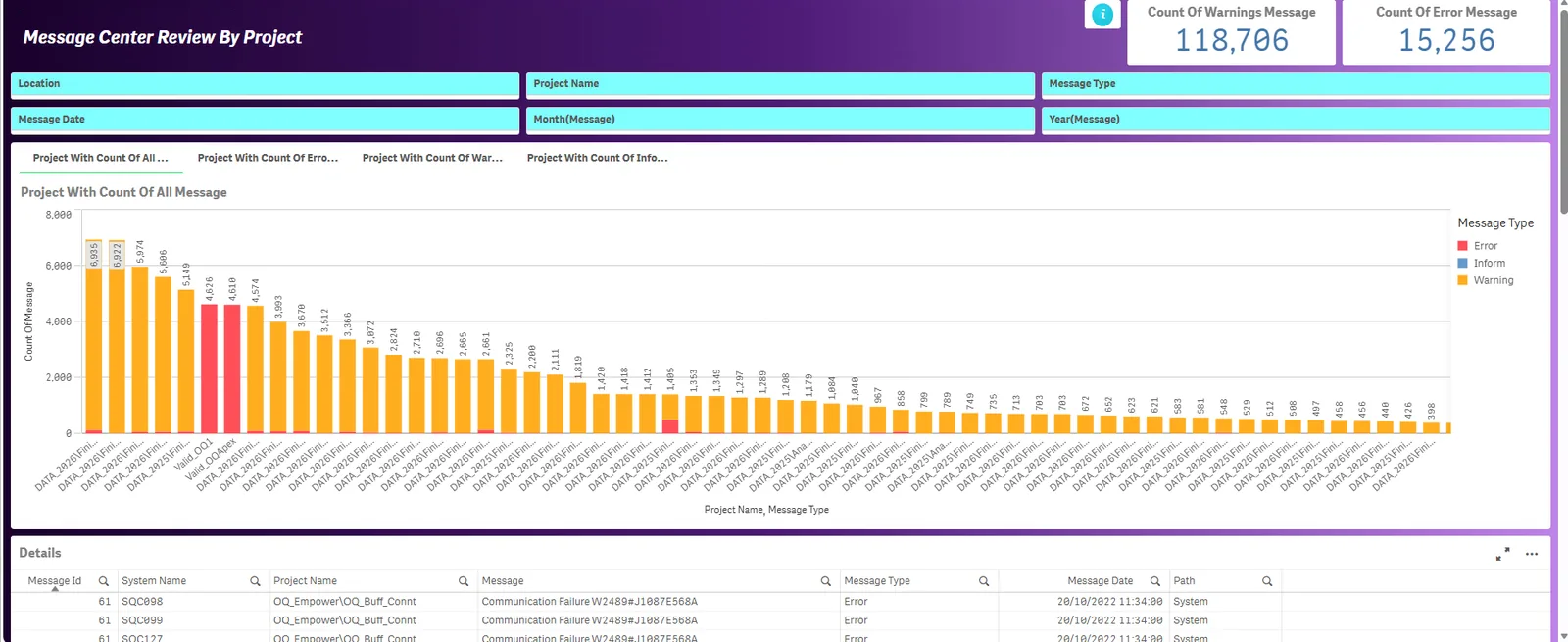
Message Center

Errors, warnings and information messages by project, and those raised during an actual sample set run.

Overview & Annexures

One screen of 15 KPI tiles with click-through, plus checklist annexures ready for audit evidence.

Questions it answers

Trial injections

Are there any trial injections or unprocessed chromatograms?

Reprocessing

Which results are processed multiple times, and by whom?

Manual integration

How much manual integration is happening, in which product and test?

Altered runs

Was any sample set changed after the run was completed?

Repeat testing

Has the same batch or AR No been tested more than once?

Deletions

Are any files being deleted, and is there a pattern?

Login attempts

Are there failed login attempts on the CDS?

Instrument events

Did any instrument error or warning occur during the run?

Who uses it

Team What they get
QC Head / Lab Manager A daily view of unprocessed, reprocessed and manual integration counts.
QA / Data Integrity Audit trail review, exception review and checklist annexures.
Site Head / Management Overview KPIs and trends across systems and projects.
CSV / IT User, login, system policy and Message Center review.
Regulatory / Inspection team Ready annexures and evidence during audits.

One overview, fifteen checks

The overview puts the full data integrity status on a single screen: unprocessed and reprocessed chromatograms, deletions, orphan injections, manual integration, duplicate sample sets, failed logins, altered sample sets, SOP naming, aborted runs and Message Center errors.

Click any tile to open the detail sheet behind it. Filters for product, test, project, system and month apply to every tile together.

How the data is handled

Empower data is extracted into dated snapshot folders, keeping a full history of every pull, and stored in a database for analysis. The analysis runs on this copy, so the live Empower system is never touched.

Data is analysed at two levels and can be viewed by product, test, test name, batch No, AR No, project, system and month. Filters apply to every KPI together.

  • Project level: audit trail, channel, custom field, injection, vial, peak, result set, result, sample set and sign-off
  • System level: users, user groups and types, system audit trail, Message Center, project data, system policies and nodes

Business benefits

The same review logic runs across every site, system and reviewer, so issues are found internally before a regulator finds them.

  • Time saving: days of manual audit trail review reduced to a focused exception review
  • Risk reduction: trial injections, altered runs and deletions surfaced early
  • Cost saving: helps avoid warning letters, import alerts, batch rejections and remediation
  • Transparency: clear visibility for management on lab data integrity status
  • Continuous improvement: trends that feed CAPA, training and process improvement

See your Empower data integrity status at a glance

We'll walk you through the overview, the detail sheets and the audit annexures using sample data.

Book a Demo

Tell us a little about you and we'll arrange a walkthrough.